
Active Directory Management Through Guided Workflows
IT-Automated brings common Active Directory administration tasks into one structured interface. Search directory objects, review account information, manage users and groups, inspect computers, generate reports and preview administrative changes before they are applied.
Click the dashboard image to enlarge it.
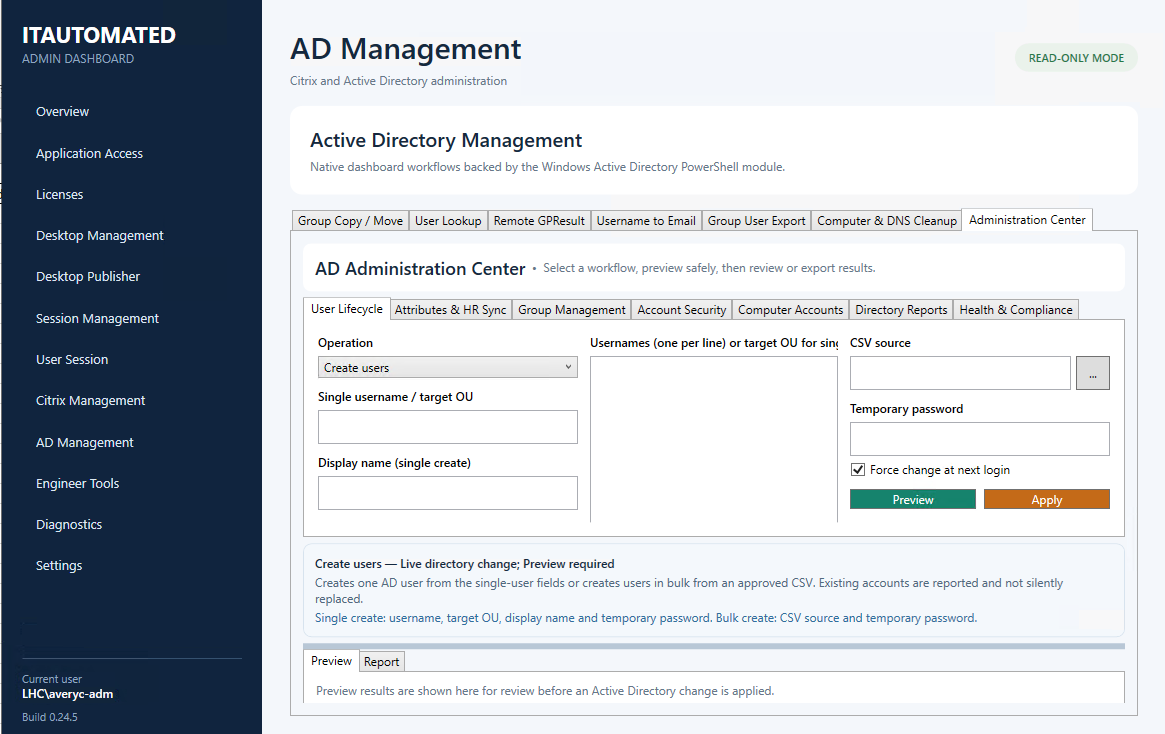
User Lifecycle Management
Create and manage Active Directory user accounts through guided single-user or bulk workflows with clear validation.
User and Object Lookup
Search users, groups and computers and review important directory details without opening multiple administrative consoles.
Group Management
Review group membership, copy or move group assignments and manage directory access through structured workflows.
Account Security
Review account status, password information, lockout state and other security details needed during support and administration.
Computer and DNS Cleanup
Inspect computer accounts, identify stale objects and support safer computer and DNS cleanup through preview-based workflows.
Directory Reports
Generate structured reports for users, groups, computers, directory health and compliance information for review or export.
Designed for Controlled Directory Operations
Modifying workflows support preview before live execution. Proposed actions, affected identities, status information and supporting details are displayed for review before changes are committed to Active Directory.
Simplify Directory Administration
Give administrators one consistent interface for user, group, computer, security and reporting workflows while reducing reliance on separate consoles and disconnected scripts.